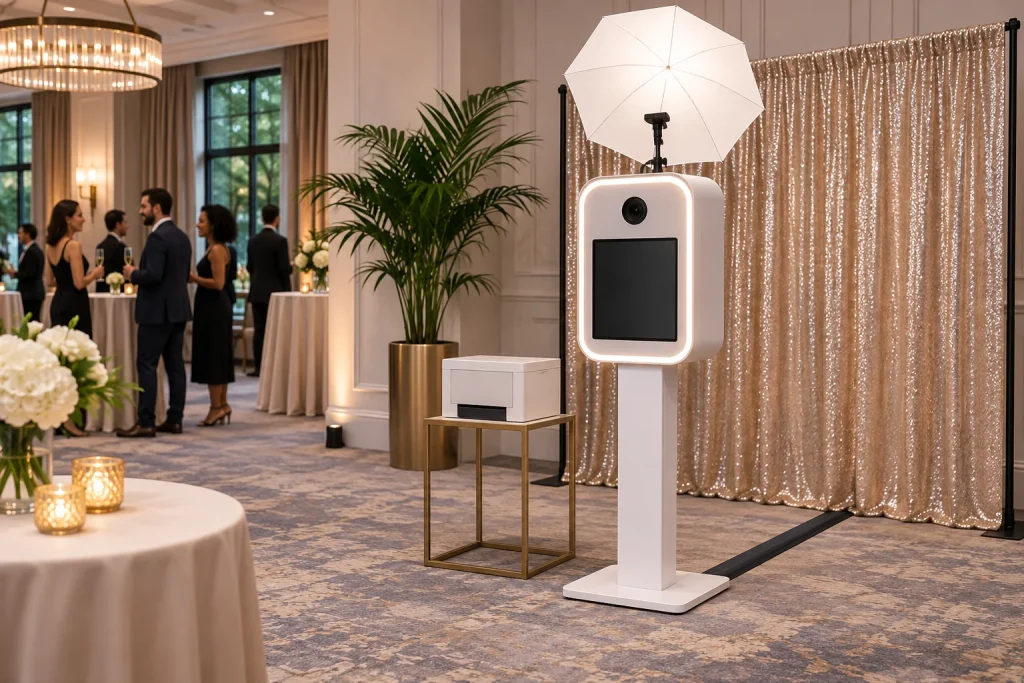
Plan a photo booth rental as a complete cycle: prepare the equipment, reach the venue, assemble and test the system, support the agreed event, pack it correctly and confirm its return. Define the actual guest experience, including digital delivery or printing where offered. A three-hour event window is only one part of the job you must deliver.
Choose an operating model before setting the package
Decide whether an attendant remains onsite, the customer operates an approved setup or the equipment is installed with a defined support arrangement. These models have different training, access and recovery needs. Do not describe an unattended rental as fully supported unless the promised response can actually be provided.
Write the included hardware, backdrop, props, digital functions, printing if applicable and delivery arrangements. Confirm compatibility and operating requirements for the exact equipment and software. Adding features from a vendor’s marketing page does not establish that your kit or subscription supports them.
Get venue facts before accepting the date
| Venue question | Why it affects the job |
|---|---|
| Load-in and collection access | Determines arrival, transport and removal time |
| Approved position and floor space | Allows the intended setup and guest circulation |
| Power and connectivity | Must suit the chosen system and delivery functions |
| Lighting and environment | Can change capture quality and equipment suitability |
| Venue contact and restrictions | Provides a decision route for setup problems |
Use the equipment manufacturer’s requirements and appropriate venue or electrical expertise. Keep cables and stands out of an improvised guest route. If a site cannot support the agreed arrangement, resolve the alternative before promising the service.
Rehearse the complete guest path
Prepare the event configuration and run a representative capture-to-delivery test. Verify framing, lighting, the intended gallery or output and any print layout. Check the customer-facing wording and required permissions without publishing real guests’ images as test material.
Simple Booth’s owner guide discusses device preparation, internet planning, attendant instruction and printing preparation for its system. Its setup guide includes operation and repacking. These are concrete manufacturer examples; use the corresponding instructions for whichever system your business actually owns.
Hypothetical example: a three-hour booking
Assume an illustrative rental includes thirty minutes of preparation, forty-five minutes of travel, sixty minutes of setup and testing, three hours of guest operation, thirty minutes of breakdown and fifteen minutes of return checks. Those stages total 360 minutes, or six hours, before quoting, venue negotiation and general administration.
The figures are invented planning allowances, not typical industry times or a price recommendation. A venue with difficult access or a distant collection time could change them substantially. If the founder prices only the three public event hours, half of the modeled work disappears from the estimate.
Plan support and fallback honestly
Define what the attendant can resolve and when the owner or technical provider becomes involved. Train that person on the actual kit, including the recovery route for a printer, connection or device problem. Keep account administration under appropriate control rather than sharing unrestricted credentials simply because someone is covering an event.
If digital delivery depends on connectivity, establish what the supported system does when the connection fails and explain the customer impact. Do not promise immediate delivery from a feature you have not verified. A fallback can change the service, so the customer should understand its limits.
Agree image and guest-data handling
Decide who controls the gallery, which delivery details are collected, who can access images and how support handles requests. Public sharing and later promotional use need appropriate permissions and policies. Requirements vary, especially where children or sensitive events are involved; seek suitable advice rather than copying a generic consent screen.
Collect only what the agreed guest experience needs. A booth used for entertainment should not silently become an unrelated marketing database. Keep private delivery links, access settings and customer instructions out of public equipment notes.
Close the job after the room empties
Count accessories, inspect condition and record anything still at the venue. Pack according to the equipment instructions rather than rushing fragile components into an unsuitable case. Confirm that agreed digital processing or support work is complete before clearing the event from your queue.
Record the equipment’s next-ready state. A case returned to storage may still need charging, cleaning, consumables or a configuration reset. That unfinished preparation belongs in the schedule before another customer can rely on the kit.
Rental acceptance checklist
- The operating model and guest output are defined.
- Venue requirements and access are confirmed.
- The full kit and guest path have been rehearsed.
- The price accounts for the complete rental cycle.
- Support and fallback limits are understandable.
- Image and contact-data handling are agreed.
- Return checks establish readiness for the next booking.